
Introduction
────────────────────────
Android system boundaries after updates refers to a state where an Android device continues to operate normally, yet user-level control over certain behaviors no longer applies after a system update.
First, the update completes without visible errors.
Additionally, the device powers on and responds as expected.
All major settings menus remain accessible.
However, specific problems still emerge that user actions cannot correct.
Setting changes produce no effect.
Resetting preferences does not restore previous behavior.
Even a factory reset may fail to reverse the outcome.
In practice, this situation does not originate from misconfiguration.
User error does not trigger this state.
At this point, the update shifts control beyond the user layer.
The device crosses a system boundary where Android enforces behavior internally.
────────────────────────
Step-by-Step Guide : android system boundaries after updates
────────────────────────
────────────────────────
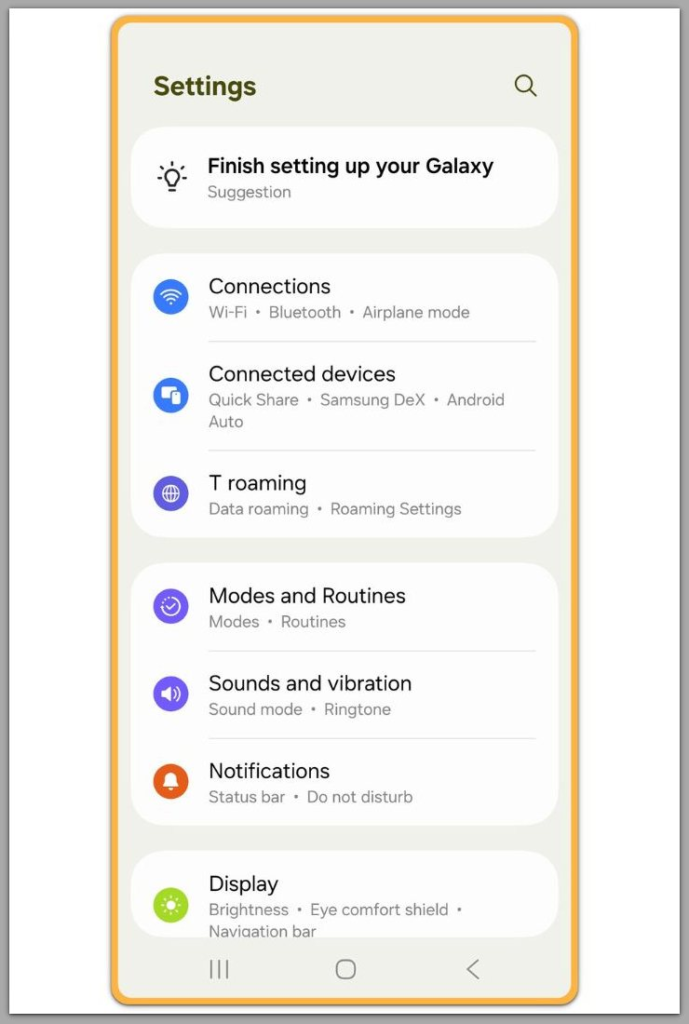
Step 1: Define what a system boundary means after an update
────────────────────────
A system boundary marks the point where Android no longer accepts user-side instructions for specific functions.
Previously, before an update, users can still adjust many behaviors.
After an update, certain behaviors become fixed at the system level.
These boundaries appear when an update modifies core operating logic rather than surface settings.
As a result, once established, user interaction stops influencing the result, which is one of the earliest signs that android system boundaries after updates already apply.
────────────────────────
Step 2: Identify signals that user control has ended
────────────────────────
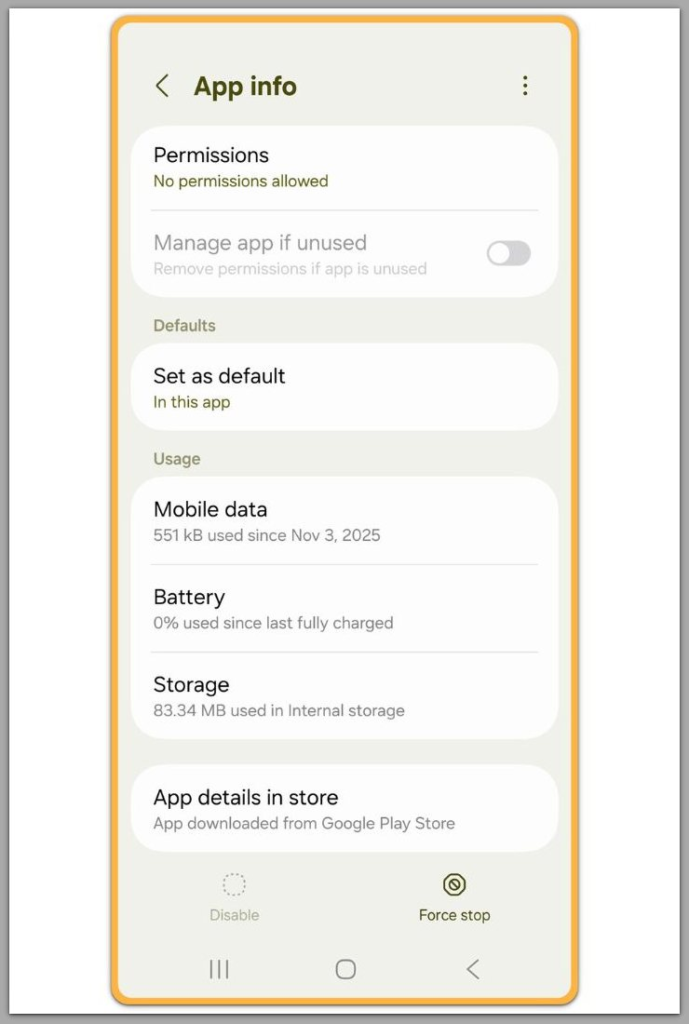
For example, several patterns indicate that a problem has moved into system-controlled territory.
The issue persists after a restart.
Cache clearing produces no meaningful change.
Resetting settings has no measurable effect.
In more severe cases, even a full factory reset fails to resolve the issue.
In these cases, when these signs appear together, user action no longer adjusts the outcome.
────────────────────────
Step 3: Understand why updates permanently alter behavior
────────────────────────
Android updates do more than introduce new features.
The system reallocates internal resources.
The framework modifies permission handling.
The OS redefines background process limits.
These changes are intentional.
Once Android applies them, the system enforces them consistently to maintain stability, security, and compatibility across devices.
For this reason, android system boundaries after updates tend to feel permanent rather than misconfigured.
As a result, certain user-level controls become permanently restricted.
────────────────────────
Step 4: Areas most commonly affected by system boundaries
────────────────────────
System boundaries do not affect random features.
Instead, they appear in specific functional categories.
☐ Core system services
☐ Background execution rules
☐ Security and encryption layers
☐ Hardware management logic
When a problem originates in one of these areas, design limits user intervention.
────────────────────────
Step 5: Why user fixes fail even when nothing appears broken
────────────────────────
Many users assume that every visible behavior has a matching control.
This assumption breaks after certain updates.
The interface still displays controls.
The system still acknowledges changes.
However, execution follows internal rules instead.
In these cases, the system accepts input but ignores it at runtime.
At this point, user control ends.
────────────────────────
Related system boundary cases
────────────────────────
Android Alarm Not Ringing After Update — This Is Not a Settings Issue
Alarms fail to ring because post-update system rules override user-level alarm settings and execution behavior.
→ View guide
Phone Locked After Too Many Attempts — When Security Lockout Cannot Be Bypassed
Repeated lock attempts trigger a system-level security lockout that cannot be bypassed by user actions or settings.
→ View guide
Android Alarm Silent in Do Not Disturb — Where User Fixes End
Alarm sound is suppressed by system-level Do Not Disturb enforcement that overrides user-configured alarm settings.
→ View guide
Recover Deleted Photos After Factory Reset — The Exact Point Recovery Stops
Photo recovery becomes impossible once factory reset triggers system-level data wiping that permanently removes user-accessible storage records.
→ View guide
Android Work Profile Alarm Not Working — A System Restriction Users Cannot Bypass
Alarm execution is restricted by work profile system policies that prevent user-level settings from overriding enforced behavior.
→ View guide
Android Alarm Missed Due to Battery Optimization — Where User Control Ends
Alarm execution is suppressed by system-level battery optimization rules that override user-configured alarm and background settings.
→ View guide
Google Photos Deleted Photos With No Backup — Where User Recovery Ends
Once photos are deleted without any existing backup, Google Photos cannot restore them because no recoverable data remains at the system level.
→ View guide
Google Photos Backup Missing After Device Change — When Data Loss Is Already Final
Missing backups after a device change indicate that the data was never synced, leaving no recoverable records once the original device is gone.
→ View guide
Android Data Recovery Software Not Finding Files — Beyond User-Level Recovery
Recovery software cannot detect files because modern Android storage encryption blocks access beyond user-level permissions once data is removed.
→ View guide
Android Phone No Signal After Software Update — When No User Fix Restores Service
Network service fails because post-update modem firmware or carrier provisioning enforces restrictions beyond user-accessible network settings.
→ View guide
Recover Deleted Videos After Storage Overwrite — Where Recovery Stops Completely
Once storage sectors are overwritten, deleted videos cannot be recovered because the original data is permanently replaced at the system level.
→ View guide
Android Mobile Data Not Working After Network Reset — Beyond APN and User Settings
Mobile data remains unavailable because post-update network provisioning or modem-level restrictions persist beyond user-accessible APN and reset options.
→ View guide
eSIM Not Working After Activation — When User Re-Setup Cannot Resolve It
eSIM activation fails because carrier-side provisioning or system-level profile enforcement blocks reactivation beyond user re-setup attempts.
→ View guide
Data Roaming Not Working Abroad — A Carrier-Level Limitation
Data roaming fails because carrier-side restrictions or account-level policies prevent service beyond user-accessible device and network settings.
→ View guide
Android Phone Keeps Losing Signal Indoors — Beyond User Control
Indoor signal drops persist because radio behavior is constrained by carrier coverage, building attenuation, or modem-level limits beyond user-accessible settings.
→ View guide
Carrier Settings Update Failed on Android — Why User Fixes Do Not Apply
Carrier settings updates fail because provisioning and policy updates are controlled at the carrier and system level, beyond user-accessible reset or configuration options.
→ View guide
Android Backup Failed When Storage Is Full — Where Backup Cannot Continue
Backup fails because the system cannot allocate required temporary space once storage reaches enforced limits beyond user-level cleanup actions.
→ View guide
Android Restore Failed During New Phone Setup — The Step Where Restore Breaks
Restore fails during initial setup because post-update system checks or device compatibility rules block the restore process beyond user-level actions.
→ View guide
Android Backup Skips App Data — A System Behavior Users Cannot Override
App data is excluded from backups because system-level rules and app-specific restrictions prevent certain data from being captured beyond user control.
→ View guide
Android Backup Restore Fails — When a Backup Exists but Cannot Be Used
Restore fails because the existing backup does not meet system-level compatibility or integrity requirements enforced during the restore process.
→ View guide
Android WhatsApp Backup Restore Not Working — When Encryption Prevents Recovery
Restore fails because end-to-end encryption and key mismatch prevent WhatsApp backups from being decrypted beyond user-level recovery actions.
→ View guide
Android Storage Still Full After Deleting Files — When System Indexing Has Not Completed
Storage remains full because system-level indexing and allocation processes have not finished updating usage records beyond user-visible file deletion.
→ View guide
Android System Taking Too Much Storage After Update — A Partition Change Users Cannot Control
System storage expands after an update because partition layout or reserved system space is reallocated at the OS level, beyond user-accessible cleanup or settings.
→ View guide
Android System Storage Too Large — Beyond User Deletion
System storage remains large because reserved system partitions and OS-managed data cannot be reduced through user deletion or cleanup actions.
→ View guide
Android Phone Overheating After Update — When Software Triggers Hardware Stress
Overheating occurs because post-update system processes and background workloads increase hardware load beyond what user settings can limit.
→ View guide
Android Phone Slowed Down After Update — When Optimization No Longer Helps
Performance slows because post-update system processes and background enforcement override user-level optimization and performance settings.
→ View guide
Android Keeps Restarting After Security Patch — A Boot-Level Failure Users Cannot Fix
Repeated restarts occur because post-patch boot-level checks or kernel enforcement fail before Android hands control to user-accessible recovery actions.
→ View guide
Android battery draining fast after update — when system services cannot be stopped
Battery drain accelerates because post-update system services and background enforcement continue running beyond user-level controls and optimization settings.
→ View guide
Android Phone Not Turning On After Update — Beyond Power-Cycle Recovery
The device fails to power on because post-update boot or firmware-level changes prevent startup beyond any user-accessible power-cycle or reset actions.
→ View guide
Android Boot Loop After Update — Why Factory Reset Does Not Work
The device remains stuck in a boot loop because post-update system or firmware changes reapply during startup, making factory reset ineffective beyond user control.
→ View guide
Android App Keeps Crashing After OS Update — When Compatibility Cannot Be Restored
Apps crash repeatedly because post-update system compatibility rules reject execution beyond what reinstalls or user-level adjustments can restore.
→ View guide
────────────────────────
Troubleshooting
────────────────────────
────────────────────────
Symptom check: what exactly stayed the same after the update
────────────────────────
Start by listing what did not change.
Typically, the device boots normally.
Apps open normally except for the affected area.
The same failure repeats at the same point.
For this reason, system boundaries usually produce stable failure patterns.
Random failures shift timing and location.
Boundary failures repeat with the same trigger.
If the trigger remains consistent, the issue rarely involves messy settings.
Instead, the OS applies the same rule every time.
────────────────────────
Reset attempts that look productive but often change nothing
────────────────────────
However, many fixes feel meaningful because Android confirms actions visually.
A toggle flips.
A permission prompt appears.
A reset completes.
Therefore, the issue remains because confirmation does not equal execution, which commonly appears in android system boundaries after updates.
As a result, repeated reset cycles often waste hours.
If multiple resets already occurred, repeating them usually increases risk.
Data loss becomes the cost, while the outcome stays the same.
────────────────────────
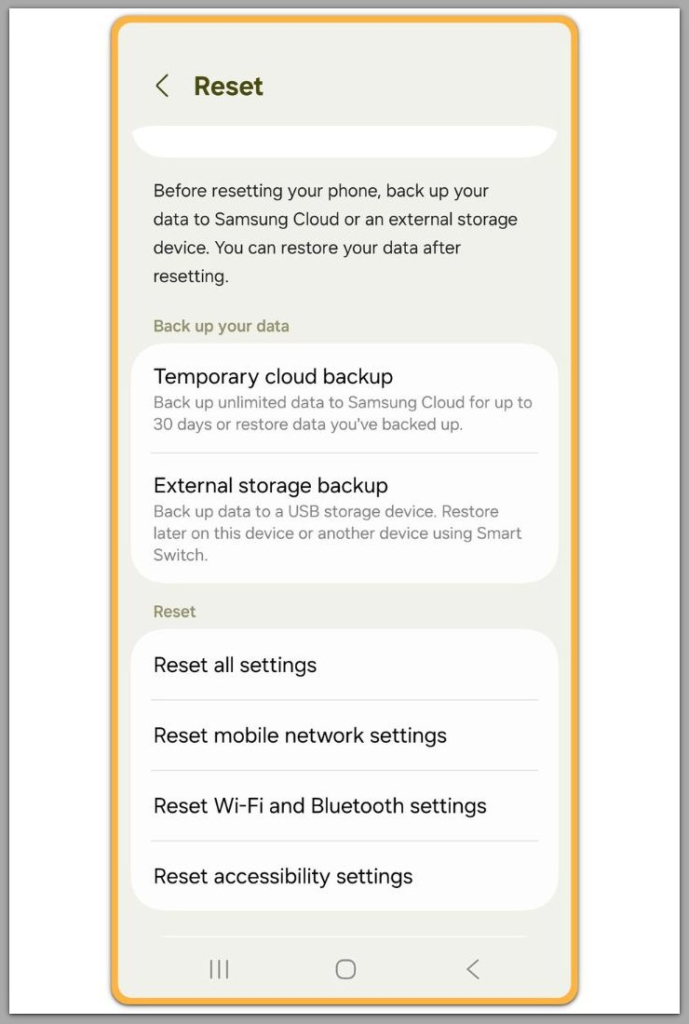
Factory reset boundary: when it fails to restore the previous behavior
────────────────────────
A factory reset is typically viewed as the final user action.
In boundary cases, even this step does not restore control.
This happens when the update changes system rules that reapply during setup.
The device returns to a clean state.
That clean state still contains the same enforcement logic.
As a result, if the same symptom appears immediately after setup, the conclusion is straightforward.
In these cases, the OS automatically reapplies android system boundaries after updates.
At that point, the user domain ends.
────────────────────────
App-level suspicion: why reinstalling does not fix compatibility failures
────────────────────────
Reinstalling an app helps only when the app itself causes corruption.
Boundary failures differ.
The app remains unchanged.
The OS environment changes.
After an OS update, compatibility can be rejected without visible warnings.
The app launches.
The system terminates the process immediately.
When this pattern repeats across multiple apps or features, the failure does not come from a bad install.
Instead, a post-update rule change explains the behavior.
────────────────────────
Network and carrier cases: when settings are correct but service never returns
────────────────────────
Signal loss, mobile data failure, roaming blocks, and eSIM activation issues often look like user mistakes.
APN settings appear wrong.
Data toggles seem off.
Resetting network settings feels logical.
However, some post-update cases do not recover through user settings.
Carrier provisioning can fail beyond the user-accessible layer.
Updated firmware logic can alter radio behavior.
Carrier-side records can lock activation states.
When correct settings fail to restore service, the system boundary explains why progress stops.
────────────────────────
Storage and indexing cases: when deletion is real but free space does not return
────────────────────────
Meanwhile, storage issues after updates create a common trap.
Files are deleted.
The storage number does not change.
In boundary cases, the system rebuilds indexes, caches, or partitions.
Deletion succeeds.
The accounting layer lags behind.
Users often delete more in response.
This increases damage rather than improvement.
When storage remains full after verified deletion, the correct interpretation is patience.
The system process remains outside user control.
────────────────────────
Additional Tips
────────────────────────
A boundary-focused hub helps only when readers classify problems quickly.
The goal is not more steps.
The goal is a clearer stop line.
One practical approach separates control from confirmation.
A visually confirmed setting change does not prove control.
Only measurable behavior change proves control, especially in android system boundaries after updates.
If behavior never changes across multiple toggles, shift the time budget.
Stop repeating actions.
Move to classification and decision-making.
Timing also matters.
A stable device that breaks immediately after an update rarely fails due to random user actions.
Device differences add another layer.
Samsung, LG, and other manufacturers apply additional system logic.
Two devices on the same Android version can enforce different limits.
As a result, one fix may work on one device and fail entirely on another.
The boundary belongs to the specific system stack on that model.
────────────────────────
Final Notes
────────────────────────
Android system boundaries after updates explain why certain failures persist even when a device appears healthy and settings look correct.
Boundary failures repeat with the same trigger.
User actions stop changing results.
The OS becomes the final decision-maker.
This line defines the practical limit.
Free fixes exist only inside the user layer.
Once the system layer enforces a restriction, the user domain has already ended.
────────────────────────
Checklist
────────────────────────
☐ The issue started immediately after an update
☐ Restarting does not change the outcome
☐ Settings changes do not alter behavior
☐ The same symptom repeats with the same trigger
☐ A reset attempt did not restore previous behavior
If most items apply, the problem operates beyond user-level control.
────────────────────────
Extra Section 1
────────────────────────
System boundaries are often mistaken for bugs, but most originate from deliberate design decisions.
After major updates, Android tightens internal rules that remain invisible from the user interface.
These rules reduce instability, prevent abuse, and maintain consistent behavior across devices.
Problems arise when expectations no longer match system behavior.
Users expect switches to act as direct controls.
Permissions seem unconditional.
Resets appear capable of restoring earlier states.
After certain updates, these assumptions no longer hold.
This shift defines android system boundaries after updates rather than temporary regressions.
Control depends on context rather than intent.
The system evaluates permissions dynamically instead of permanently.
Defaults enforce themselves even when alternatives still appear on screen.
This mismatch marks the point where ordinary guides stop working.
The device works as designed, but not as expected.
────────────────────────
Extra Section 2
────────────────────────
This hub organizes problems that appear unrelated but share the same underlying boundary.
Some cases involve backups that never restore.
Others involve signals, alarms, storage, or performance that never return to prior states.
The symptoms differ.
The mechanism does not.
Ultimately, one question clarifies every case.
Did the system update move control away from the user layer?
In that case, repeating actions no longer makes sense.
Consequently, effort stops translating into progress.
More steps increase confusion or risk.
Recognizing this boundary changes the response.
Instead of chasing fixes, readers know where to stop.
Instead of guessing, they classify the situation.
That classification defines the purpose of this page.