
Introduction
────────────────────────
Android System Storage Too Large — Beyond User Deletion means the system storage has already expanded at the OS level, and no user action can shrink it afterward.
Leftover files, cache buildup, or incomplete deletions do not cause this.
System partitions occupy the storage space long before the user ever interacts with the device.
Once Android commits these partitions, deleting apps or files only affects user space.
System storage stays fixed, regardless of how much content the user removes.
At this point, storage management is no longer under user control.
A system design boundary replaces manual control.
This article explains where that boundary appears,
why user deletion stops working,
and how to recognize the exact point where control ends in android system storage too large cases.
────────────────────────
Step-by-Step Guide – Android System Storage Too Large
────────────────────────
────────────────────────
Step 1: Confirm the Storage Increase Is System-Level
────────────────────────
Open Settings and check the storage breakdown.
If the System category occupies an unusually large portion and does not change after file deletion, the system has already locked in the increase.
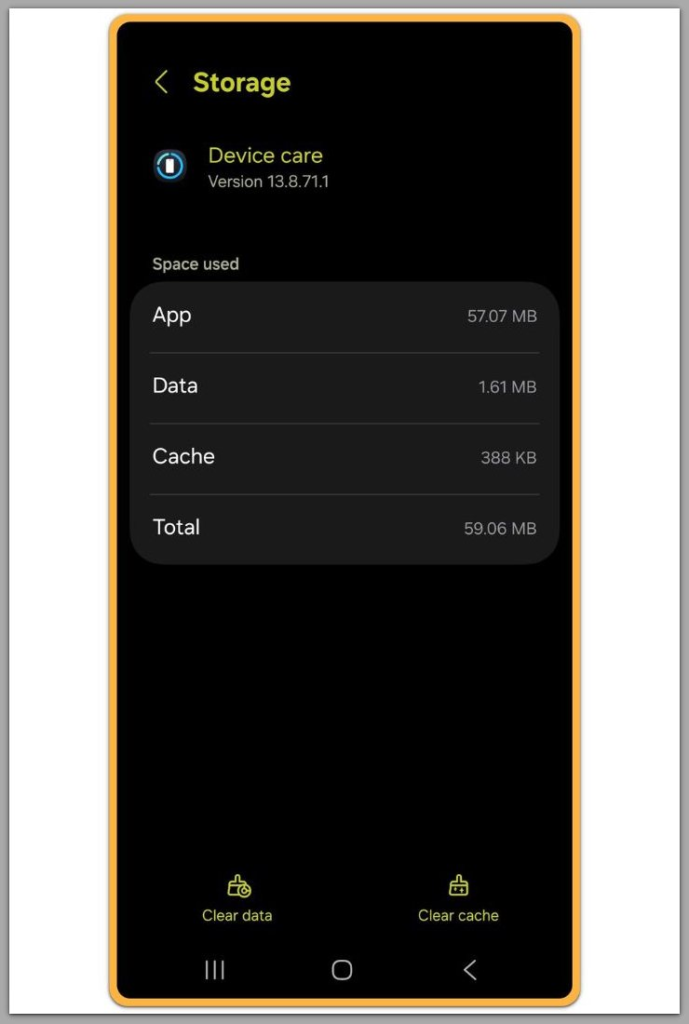
This result confirms that user data does not drive the issue.
At this stage, no cleanup action can affect the system partition.
────────────────────────
Step 2: Understand Why Deletion Has No Effect
────────────────────────
Android separates system space from user space during major updates and internal optimizations.
When Android recalculates this separation, it permanently reserves additional system space.
User deletion only reclaims space inside user partitions.
It never interacts with system allocations that Android finalized earlier.
This behavior explains why storage numbers appear frozen even after aggressive cleanup.
────────────────────────
Step 3: Identify What Triggered the Expansion
────────────────────────
In most cases, system storage grows after an OS update or a major security patch.
Android reallocates space to support rollback protection, security modules, and compatibility layers.
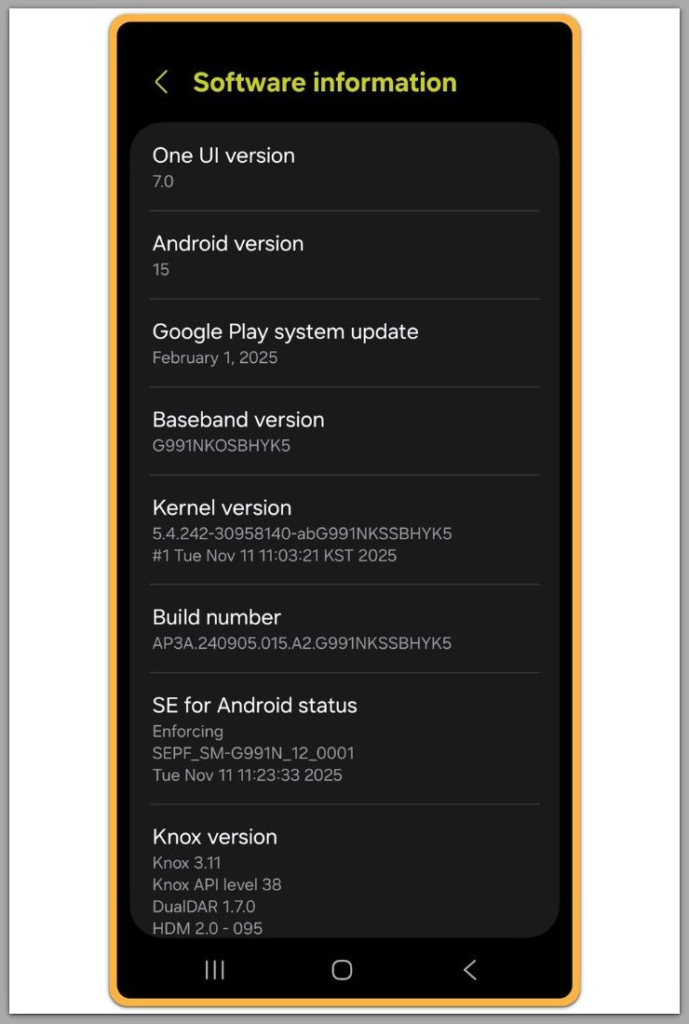
Once the device boots into the updated system, Android commits these changes.
Reversing them would compromise system stability, so Android blocks reversal.
────────────────────────
Step 4: Verify That Resetting Will Not Help
────────────────────────
A factory reset does not rebuild system partitions.
It only wipes user data.
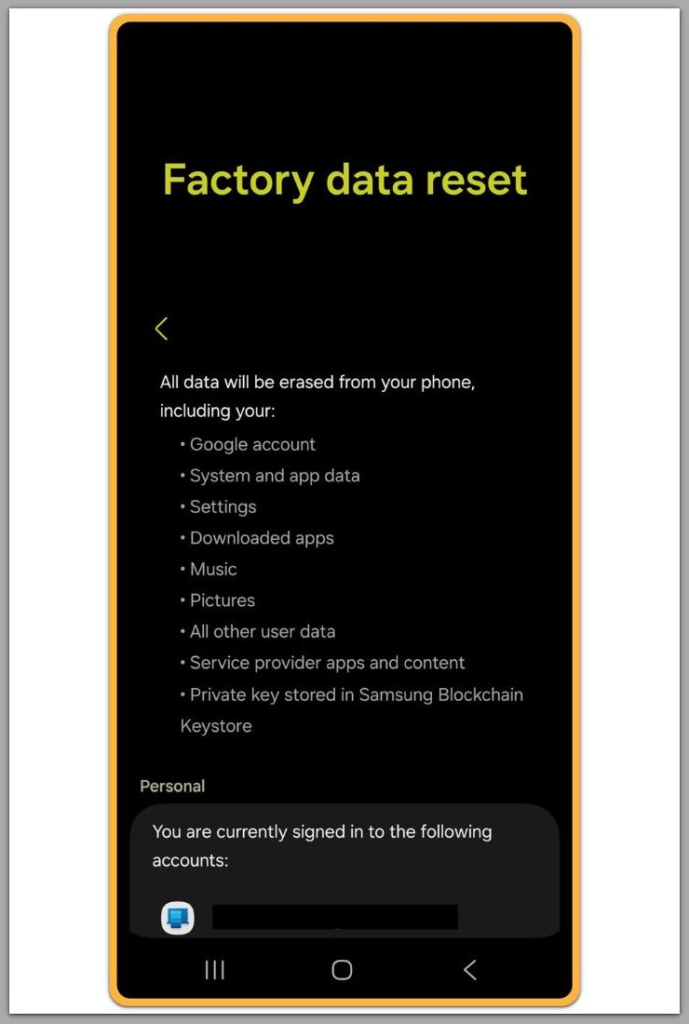
After the reset, the system storage size remains unchanged.
This result confirms that the issue exists beyond user deletion and reset options.
This behavior is defined at the system level and cannot be changed through user actions.
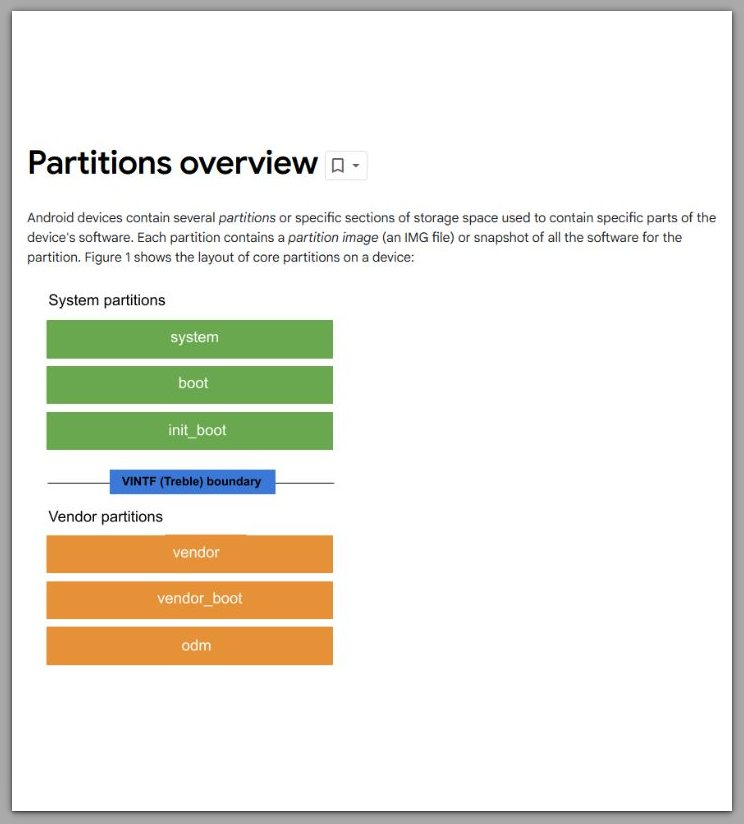
Android Partitions Overview — Official
────────────────────────
Troubleshooting
────────────────────────
If the phone still shows System as the largest category, this is often where android system storage too large begins to confuse users.
After a major update, Android may continue recalculating storage in the background.
This process has no connection to file deletion.
It rebuilds indexes, refreshes storage references, and validates reserved areas.
During this phase, storage can appear frozen.
User actions rarely influence its speed.
One simple check helps clarify the situation.
If Photos, Apps, or Downloads change after deletion while System never moves, the boundary is already set.
If nothing changes at all, the device may still process background tasks.
Some updates also complete in stages.
Until the final maintenance cycle finishes, storage numbers can look worse than reality.
However, when the System size remains unchanged after a full day of normal use, the behavior stops being temporary.
At that point, the number reflects a finalized partition state.
Ignore suggestions like clearing cache partitions or using cleaner apps.
Modern Android blocks third-party tools from modifying system partitions.
These apps only touch user-level caches and often distort reporting.
If daily use remains possible, the real question is no longer how to shrink System.
The real question is whether the remaining user space will remain sufficient.
When space becomes too tight, deletion stops being the solution.
Planning becomes the only realistic path.
────────────────────────
Additional Tips
────────────────────────
Treat android system storage too large as a boundary issue, not a cleanup task.
Once the system partition expands, user deletion no longer affects that number.
Instead of repeatedly deleting and rechecking storage, choose one reference screen and track changes over time.
Frequent checking creates the impression of malfunction even when the layout is locked.
Focus on categories that still respond.
Apps, media, downloads, and offline files remain adjustable.
Media often provides the fastest gains because it grows quietly.
Messaging and social apps frequently keep duplicate media inside app storage even after visible deletion.
Avoid reinstalling apps as a reset strategy.
Reinstallation may reshuffle storage categories temporarily, but it never changes the partition boundary.
After updates, extra headroom matters more than aggressive cleanup.
Modern updates increasingly require reserved space for rollback and integrity checks.
On smaller-capacity devices, the impact feels harsher.
This outcome reflects proportional math, not user error.
────────────────────────
Final Notes
────────────────────────
Android System Storage Too Large — Beyond User Deletion marks the point where cleanup stops being a meaningful lever.
When an OS-level change expands the System category, user behavior no longer influences it.
Deletion can free user space, but it cannot reduce the committed system partition.
If user space remains workable, treat System as fixed and move forward.
If it does not, deletion is no longer the decision point.
Capacity becomes the decision.
────────────────────────
Checklist
────────────────────────
☐ Confirm that deleting large files changes user categories but not System
☐ Allow sufficient time after updates for background processing
☐ Ignore apps that claim to reduce system storage
☐ Judge usability based on remaining user space, not the System number
☐ Plan off-device storage or a capacity upgrade if space is no longer workable
Recognizing this boundary early prevents wasted effort.
────────────────────────
Extra Section 1
────────────────────────
System storage grows because Android treats stability as a storage cost, which explains why android system storage too large appears after major updates.
Older versions remained simpler.
Modern Android includes security modules, compatibility layers, and update safeguards that must exist even when invisible.
Update resilience drives much of this growth.
Android reserves space so devices can survive failed boots and incomplete updates.
This space is neither optional nor recoverable.
That is why the system partition behaves like a sealed container.
Allowing users to shrink it would introduce instability at scale.
Android prevents this risk by enforcing a one-way boundary.
This design also explains why factory reset does not change system size.
Reset removes user data, not the system layout committed by updates.
Once users understand this model, troubleshooting simplifies.
Effort shifts away from shrinking System and toward managing what still responds.
────────────────────────
Extra Section 2
────────────────────────
The storage screen makes everything look negotiable, but it is not.
Categories appear side by side, which creates the illusion of equal control.
In reality, System represents protected allocation outside user authority.
This mismatch explains why the issue feels personal.
Users often assume they missed hidden files or deleted incorrectly.
In most cases, the decision occurred earlier.
An update, a patch, or an internal reallocation already crossed the boundary.
By the time storage appears, the boundary already exists.
A clearer mental model resolves the confusion.
User space remains negotiable.
System space remains fixed.
When the device stays usable, protect user space and stop fighting System.
When it does not, accept that deletion has reached its endpoint in android system storage too large cases.