
Introduction
────────────────────────
Android phone slowed down after update means the device becomes noticeably slower after a system update, even though storage cleanup, optimization, and basic maintenance have already been applied.
Apps open later than before.
Scrolling stutters where it was smooth.
Short tasks take just long enough to feel wrong.
However, this slowdown is often not explained by temporary background activity alone.
It is also not simply the result of skipped optimization steps.
In many cases, the system has already passed the point where user-level actions can restore previous performance.
At this stage, the phone remains usable, but it no longer behaves like it did before the update.
That change is not accidental.
Instead, it reflects how Android reallocates resources after major system changes.
This article focuses on the point where optimization stops producing results and explains why performance does not return even when everything looks “clean.”
────────────────────────
Step-by-Step Guide: android phone slowed down after update
────────────────────────
────────────────────────
Step 1: Confirm the Slowdown Is System-Level
────────────────────────
Open the device settings and observe overall responsiveness, not a single app.
If delays appear across multiple apps, menus, and system animations, the slowdown is not isolated.
When app clearing, cache removal, and restarts show no measurable improvement, the system layer is already involved.
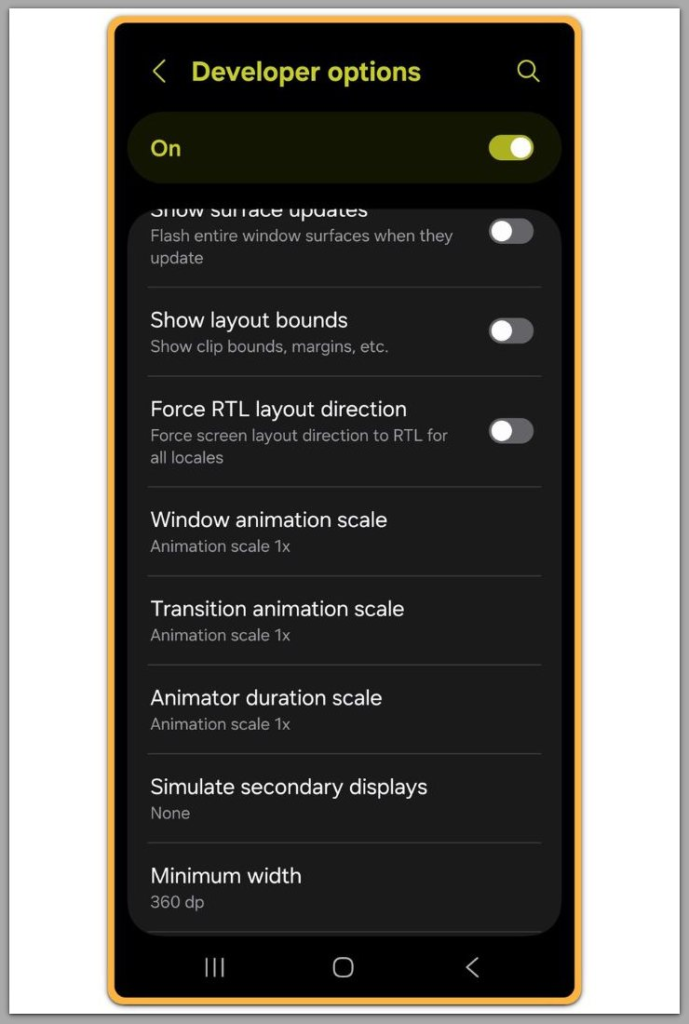
At this point, optimization tools can no longer change how the system schedules resources.
They only operate inside limits that the system has already set.
This is the first sign that the issue is no longer user-controllable.
────────────────────────
Step 2: Understand What Changes After an Update
────────────────────────
During an update, Android does more than replace files.
The system re-prioritizes services.
It recalculates background task limits.
Security modules reserve additional processing space.
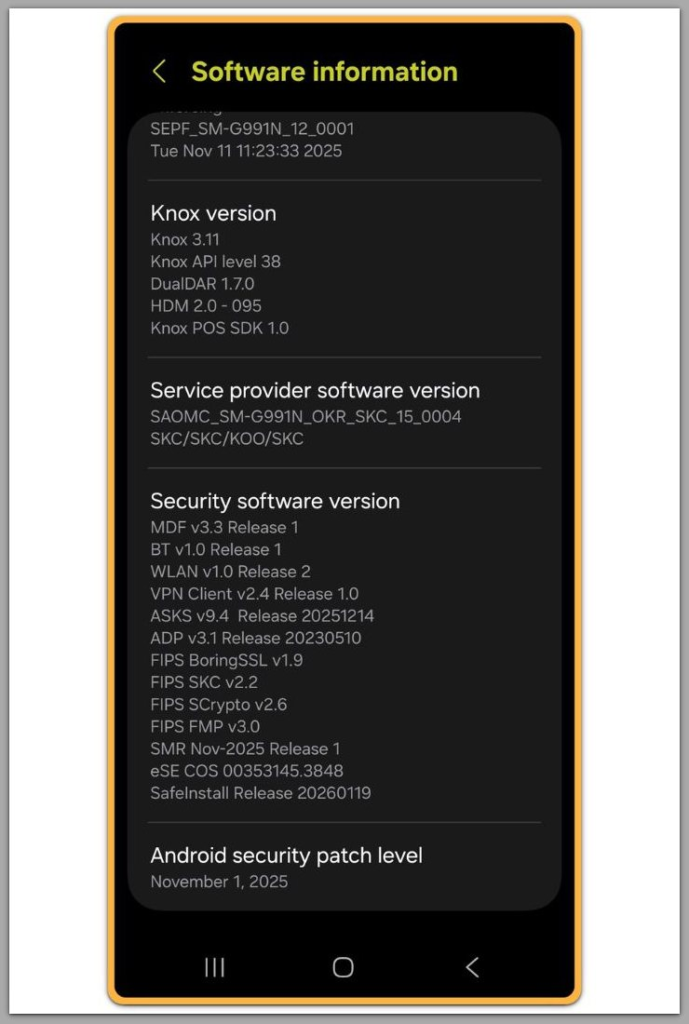
Once the system finalizes these changes, they become part of the new baseline.
The device is not “slowing down.”
Instead, it operates under new rules.
Because the system enforces these rules before evaluating user processes, optimization cannot override them.
────────────────────────
Step 3: Why Optimization Stops Working
────────────────────────
Optimization tools operate after the system has already made its decisions, which explains why an android phone slowed down after update cannot respond to optimization at this stage.
They react to conditions.
They do not define them.
When users close apps, clear temporary data, or pause background activity, those actions occur at the user layer.
By the time they run, the update has already locked in system-level reservations.
As a result, optimization feels ineffective.
It applies too late in the decision chain.
The system enforces security overhead, scheduling limits, and reserved processes before optimization tools can act.
Once set, no user-facing tool can override those rules.
When optimization shows no effect, it is not malfunctioning.
It has simply reached the point where its authority ends.
────────────────────────
Step 4: Distinguish Between Temporary and Permanent Slowdown
────────────────────────
Some slowdowns stabilize within days.
Others do not.
If performance remains unchanged after multiple optimization cycles and normal usage patterns resume, an android phone slowed down after update is no longer in a short-term transitional state.
In these cases, waiting alone rarely produces meaningful improvement.
The system has already settled into its new operating state.
If the slowdown persists after confirming it is system-level and no longer transitional, this behavior usually reflects how Android has already reallocated system resources during the update process, which cannot be changed through user settings alone.
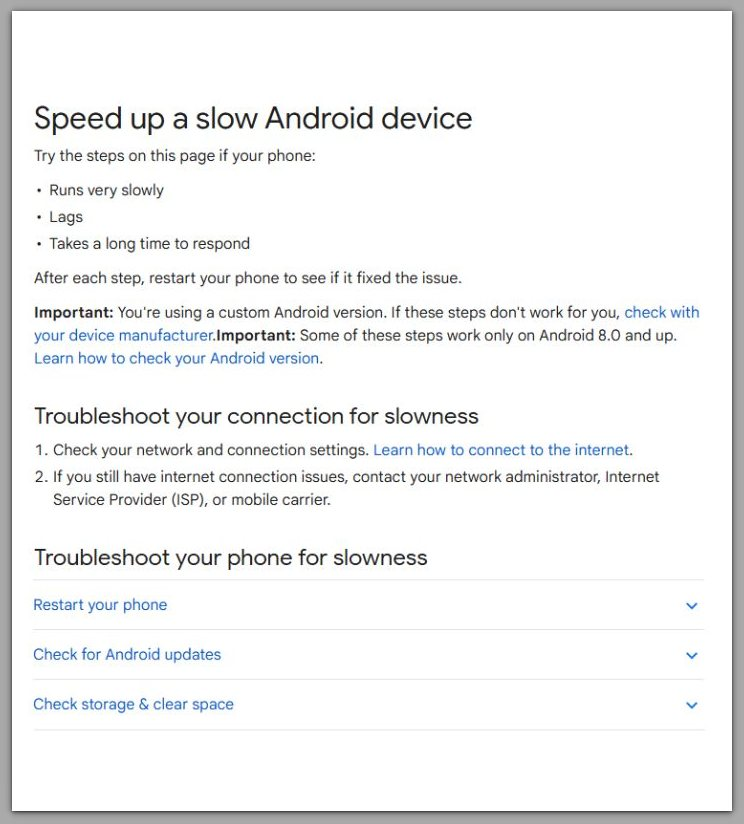
Speed up a slow Android device (official Google support)
────────────────────────
Troubleshooting
────────────────────────
────────────────────────
Lack of a Clear Trigger After Updates
────────────────────────
One of the most confusing aspects of an android phone slowed down after update is the absence of a clear trigger.
There is no error message, no crashing app, and no obvious system warning.
The device appears stable.
It simply feels slower.
Because of this, many users assume a single app must be responsible.
They search for one background process, one misbehaving update, or one cache issue that explains everything.
In most cases, that assumption is incorrect.
────────────────────────
How System-Level Changes Accumulate
────────────────────────
After a system update, Android changes how multiple system services operate at the same time.
Task scheduling becomes more conservative.
Background execution limits tighten.
Security and compatibility layers remain active longer than before.
Each change on its own is small.
Together, they alter how responsive the system feels during normal use.
These changes are not errors.
Instead, they are coordinated adjustments applied across the system.
────────────────────────
Why Performance Feels Inconsistent
────────────────────────
Another source of confusion is intermittent responsiveness.
At times, the phone feels almost normal.
For example, scrolling may feel smooth briefly.
Apps may open faster right after a restart.
However, these moments are misleading.
They usually occur when system load temporarily drops.
Once normal background activity resumes, the slowdown returns to its baseline.
────────────────────────
When Troubleshooting Reaches Its Limit
────────────────────────
This explains why repeated optimization attempts feel inconsistent.
The underlying performance range itself does not change.
Instead, the system fluctuates within fixed limits rather than moving toward recovery.
Optimization does not alter those limits.
At this stage, troubleshooting does not identify a fix.
It confirms that the slowdown is structural rather than accidental.
────────────────────────
Additional Tips
────────────────────────
Once optimization no longer changes performance, the goal shifts from recovery to control in cases where an android phone slowed down after update has reached its limit.
For instance, visual adjustments can reduce perceived delay.
Lowering animation scale does not increase processing power, but it shortens visual feedback loops.
As a result, interactions may feel less sluggish even when actual speed is unchanged.
Similarly, battery-focused restrictions may slightly reduce background pressure.
They do not alter system services, but they can limit how aggressively third-party apps compete for resources.
Storage cleanup helps stability, not speed.
Free space prevents additional slowdowns caused by fragmentation or write delays.
It does not reverse system space reservations created during the update.
Factory reset often appears as a last resort.
Its effectiveness depends heavily on timing and system state.
If users perform it immediately after the update, before restoring apps and data, results may improve.
If they perform it after the system has fully rebuilt its post-update environment, the same performance limits often return.
This explains why identical devices behave differently after a reset.
The system state, not the reset action itself, determines the outcome.
────────────────────────
Final Notes
────────────────────────
When an android phone slowed down after update reaches a point where optimization no longer helps, the issue is rarely simple misconfiguration.
The system has already recalculated how it allocates processing time, background activity, and security overhead.
It enforces those decisions before applying user-level controls.
At that point, further optimization does not fail.
It reaches the end of its practical influence.
The device remains functional, but it now operates under a new performance baseline that settings alone cannot adjust.
Checklist
☐ Slowdown affects system navigation and multiple apps
☐ Optimization and cache clearing show no lasting improvement
☐ Performance does not recover after normal usage stabilizes
☐ No single app explains the behavior
When these conditions are met, user-level intervention has effectively ended.
────────────────────────
Extra Section 1
────────────────────────
From Android’s perspective, post-update performance limits in cases where an android phone slowed down after update serve a protective role.
Modern Android versions balance performance against security, compatibility, and long-term stability.
Allowing older performance behavior can expose conflicts between updated system components and legacy expectations.
To avoid unpredictable behavior, Android enforces a new operating baseline after major updates.
This baseline prioritizes consistency over peak responsiveness.
As a result, the system feels heavier but behaves more reliably under varied conditions.
What users experience as slowdown represents controlled restraint from the system’s view.
This tradeoff is intentional.
It reduces crash risk, data inconsistency, and rollback instability at the cost of raw responsiveness.
────────────────────────
Extra Section 2
────────────────────────
Timing is the decisive factor in post-update slowdown cases.
Once the updated system completes its internal recalibration, performance rules become fixed.
Background limits, scheduling priorities, and security overhead are no longer flexible.
Optimization tools can still operate, but only inside those boundaries.
They cannot redefine the boundaries themselves.
This is the point where user control ends and system behavior takes over.