
Introduction
Android public WiFi safety is essential when using public networks in places like cafés, airports, and hotels.
Public Wi-Fi is convenient, but it is also one of the easiest environments for data leaks to occur.
However, cafés, airports, hotels, and public transportation networks often operate with minimal encryption and limited monitoring.
Many Android users assume security problems come from malware or hacked apps.
In reality, the biggest risk often comes from untrusted networks that silently intercept traffic without triggering any alerts.
Android already includes strong security features at the system level.
The problem is that Android disables many of these protections by default or configures them poorly for public Wi-Fi environments.
This guide focuses on android public wifi safety using built-in Android settings and proven practices.
Step-by-Step Guide for Android Public WiFi Safety
Step 1 — Understand the real risks of public Wi-Fi on Android
For example, public Wi-Fi networks are shared environments.
Anyone connected to the same network can potentially observe unsecured traffic.
The most common risks include:
- Man-in-the-middle attacks
- Fake hotspot impersonation
- Session hijacking on unsecured websites
These attacks focus on intercepting data rather than breaking the device itself.
Android protects the operating system well.
The weakness usually comes from network-level exposure, not from Android as a platform.
Understanding this difference is the foundation of effective android public wifi safety.
Step 2 — Disable automatic Wi-Fi connections
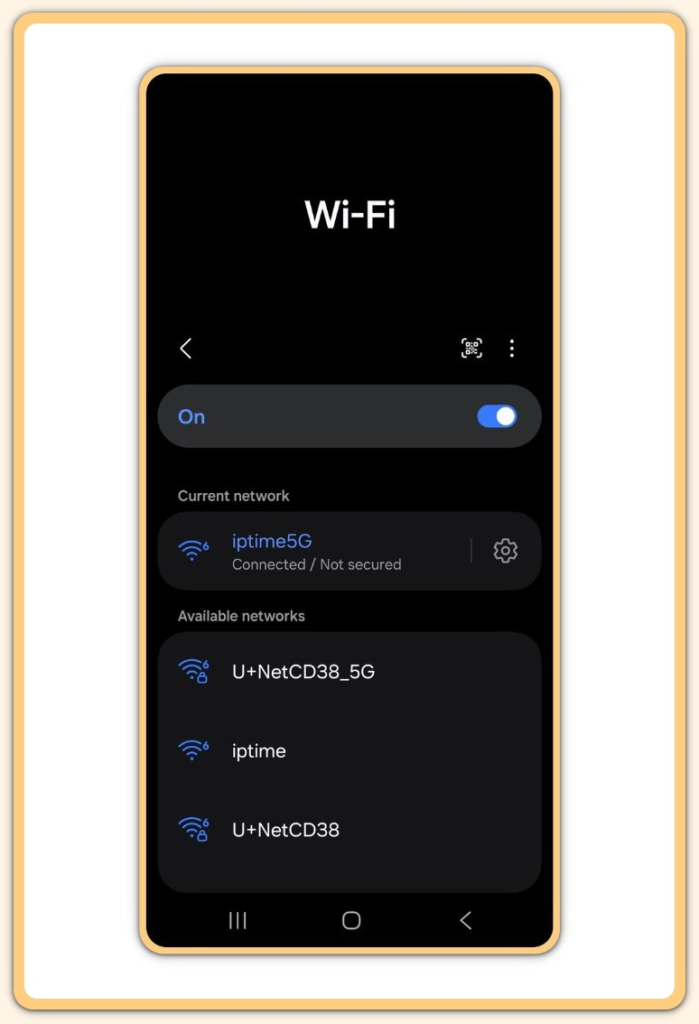
Android automatically reconnects to previously saved networks by default.
This includes public hotspots you may have used once and forgotten.
Automatic reconnection creates two problems:
- The device may connect without user awareness
- Fake networks can imitate saved network names
To reduce this risk:
- Turn off auto-connect for public networks
- Remove saved Wi-Fi networks you no longer use
This single adjustment significantly improves android public wifi safety in everyday situations.
Step 3 — Use a trusted VPN on public networks
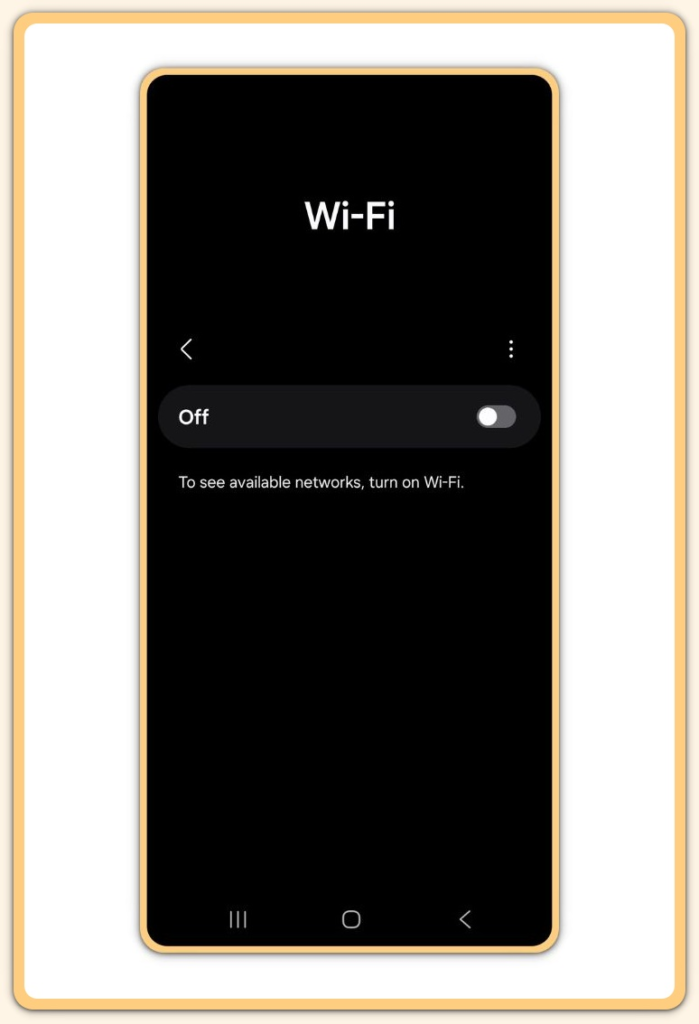
A VPN encrypts traffic between your Android device and the internet.
This prevents other users on the same network from reading your data.
Important considerations:
- Use a reputable, no-log VPN provider
- Enable the VPN only when using public Wi-Fi
- Avoid free VPNs with unclear privacy policies
A VPN does not make you anonymous.
It simply closes one of the largest exposure gaps in android public wifi safety.
Step 4 — Disable nearby sharing and device discovery
Android includes features such as Nearby Share and device discovery.
However, these are useful in private environments but unnecessary on public networks.
When enabled:
- Your device becomes visible to others
- File or connection requests may appear
- The attack surface increases
Before connecting to public Wi-Fi:
- Turn off Nearby Share
- Disable Bluetooth if it is not required
These small changes reduce unnecessary exposure without affecting daily usability.
Step 5 — Review app network permissions
Some apps access the network more aggressively than expected.
On public Wi-Fi, this behavior becomes a security concern.
Review:
- Apps that sync data in the background
- Apps with unrestricted network access
- Apps that do not require internet access at all
Android restricts background data for non-essential apps.
This limits what can leak if the network is compromised and strengthens android public wifi safety.
Step 6 — Avoid sensitive actions on public Wi-Fi
Even with protections enabled, public Wi-Fi should never be treated as trusted.
Avoid:
- Banking and financial transactions
- Password changes
- Accessing private dashboards or admin panels
If sensitive access is unavoidable:
- Use mobile data instead
- Or confirm the VPN is active before proceeding
Risk management is about reducing exposure, not eliminating convenience.
Step 7 — Use HTTPS and secure DNS on Android
Most modern browsers default to HTTPS, but not all connections are protected.
Always confirm:
- Websites display HTTPS
- No certificate warnings appear
Additionally:
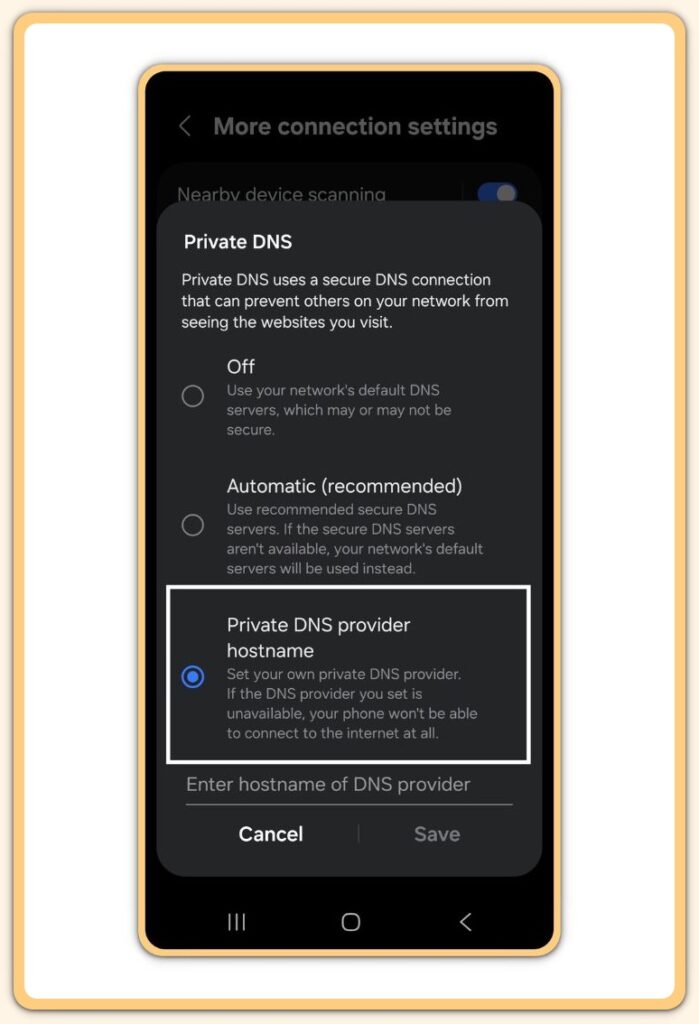
- Enable secure DNS in Android settings
- Use a trusted DNS provider
Secure DNS helps prevent redirection and spoofing attacks.
This adds another layer to android public wifi safety without installing additional apps.
Troubleshooting Android Public Wi-Fi Safety Issues
Problem: VPN disconnects frequently
- Switch protocols inside the VPN app
- Avoid highly congested public networks
Problem: Wi-Fi connects automatically
- Manually remove saved public networks
- Disable auto-connect on a per-network basis
Problem: Connection feels slow or unstable
- Security features may reduce speed
- This is expected and acceptable on public Wi-Fi
Stability should never be prioritized over security in shared environments.
Additional Tips for Android Public Wi-Fi Safety
- Keep Android system updates enabled at all times
- Avoid unknown Wi-Fi names with strong signals but no clear context
- Use mobile data for short, sensitive tasks whenever possible
Security habits matter more than individual tools.
Consistency is what keeps android public wifi safety effective in the long term.
Public Wi-Fi Safety Checklist (Android)
- Public Wi-Fi auto-connect is turned OFF
- Unused public Wi-Fi networks are removed
- VPN is enabled before connecting to public Wi-Fi
- Nearby Share is disabled
- Bluetooth is off when not needed
- Background data is restricted for non-essential apps
- Sensitive actions are avoided on public Wi-Fi
- HTTPS is confirmed on all websites
- Secure DNS is enabled in Android settings
- Android system updates are up to date
Final Notes
Public Wi-Fi is not inherently dangerous.
Incorrect assumptions and careless usage create most problems.
Android provides the tools needed for safe public network use.
The responsibility lies in configuring them correctly and applying them consistently.
If a network feels unnecessary, skip it.
Convenience is never worth silent exposure.
Extra Section 1 — Real-World Risks of Public Wi-Fi on Android Devices
Most public Wi-Fi security incidents go completely unnoticed.
There are no alerts, no warnings, and no immediate signs of compromise.
Attackers commonly target:
- Session cookies stored by browsers
- Unencrypted app traffic
- Background sync requests made without user interaction
In cafés and airports, fake access points often mimic legitimate network names.
Android devices may connect automatically if auto-reconnect is enabled.
Many Android apps are secure on their own.
The weakness appears when they communicate over unsafe networks.
This is why android public wifi safety depends more on network discipline and configuration than on antivirus software.
Extra Section 2 — Android Settings Most Users Forget to Secure on Public Wi-Fi
Several Android settings are commonly overlooked:
- Auto-reconnect behavior for saved networks
- Background data permissions
- Nearby device visibility features
These settings are harmless in private environments.
They become risky only when the network is shared with strangers.
Adjusting them once creates a long-term safety baseline.
This approach turns android public wifi safety into a default state rather than a reactive task.