
Introduction
Android charging slow with moisture detected usually starts when the phone warns about moisture in the charging port. You plug in the cable, but the battery barely moves, or starts and stops before it settles.
This does not feel like a normal slow charger problem. The warning comes first, then the cable behavior, and only after that should the charger itself become the main suspect.
Step-by-Step Guide: Android Charging Slow with Moisture Detected
Step 1: Check The Moisture Warning Before Changing The Charger
Look at the phone before trying another charger. A moisture detected message puts the charging port first. The charger speed comes after the warning clears.
Disconnect the cable and check whether the warning stays on the screen or returns as soon as you plug in the cable again. Testing several chargers while it is still active only repeats the same slow or blocked charging result.
Step 2: Compare Whether The Battery Level Actually Moves
Reconnect the cable only after no moisture warning appears again. Leave the phone connected for a few minutes without opening games, video apps, hotspot, or camera.
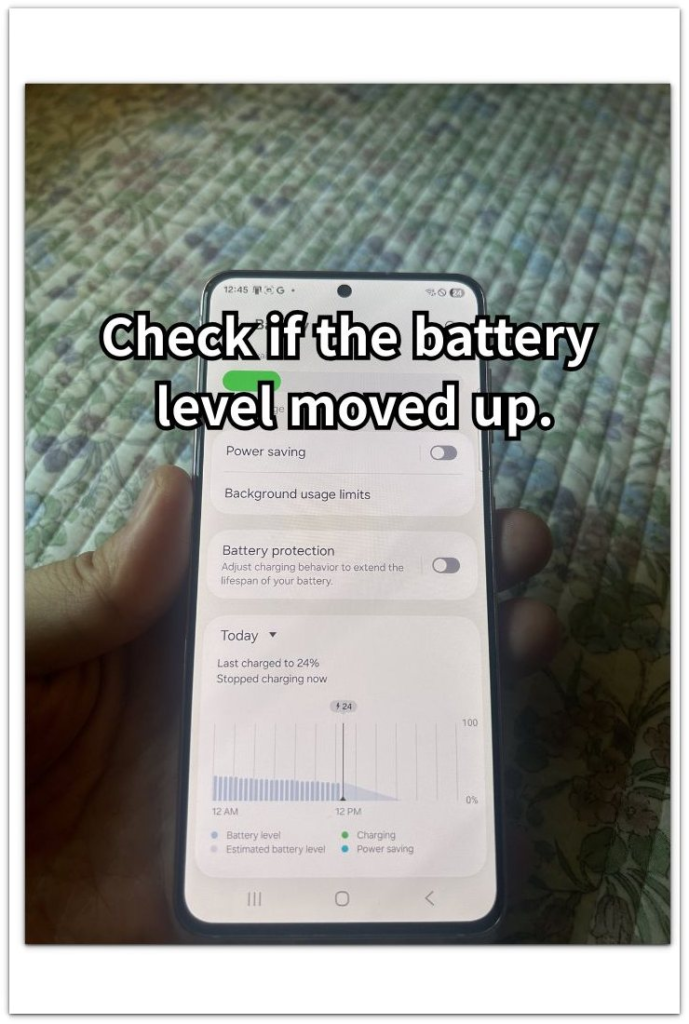
Open Settings → Battery and check whether the battery level moved up after the phone stayed connected. The icon alone is not enough here, because the phone sometimes shows a connected state without continuing a normal charge.
Step 3: Test Again After The Port Warning Clears
Use the same cable first after the moisture warning clears. Keep the phone still and watch whether charging continues without stopping again.
A normal rise after the warning disappears points back to the port as the reason charging did not continue. If the battery barely moves with no warning showing, the problem has moved beyond moisture.
Troubleshooting
Troubleshooting 1: Charging Stays Slow After The Warning Disappears
The moisture warning disappears, but charging stays slow after you connect the cable. The phone no longer shows the port warning, so the next check moves away from moisture alone.
Test a different cable first, then test another charger with the original cable. A normal charge with the new cable points to the cable as the weak part. The same slow result with different parts points back to the phone port or battery condition.
Troubleshooting 2: The Moisture Warning Returns Every Time You Connect The Cable
The warning goes away for a short time, then returns as soon as the cable touches the port. The battery barely moves because the phone keeps returning to the same state.
Remove the cable and leave the phone unplugged longer before testing again. Use the same cable for the next check only after the warning stays gone. A warning that returns right away keeps the focus on the port, not the charger speed.
Troubleshooting 3: Charging Starts Normally Then Stops Again
Charging begins after the warning clears, but the battery level stops rising after a few minutes. The first connection looks normal, but the pattern does not stay stable.
Check the cable fit and the port area before testing more parts. A loose fit or repeated stop-and-start pattern points to the cable, port, or charger connection, not a background app or screen use.
Extra Section 1: Why Charging Still Looks Slow After Moisture Detection Clears
The moisture warning disappears before charging looks fully normal again. The screen shows the icon, but the battery rises slowly or pauses after you connect the cable.
That pattern does not always mean the charger is too weak. After a moisture warning, read the result as a stability problem first. The port warning has cleared, but the cable contact, port condition, or charger connection helps decide whether charging continues normally.
The focus changes after the warning clears. It no longer explains everything, but the first answer is still not a heavy app or screen use. A slow rise after it clears points toward the connection before battery settings become the next place to check.
Extra Section 2: Why The Port Comes Before Charger Speed
A moisture warning changes how you should read the result. The phone is not only checking how much power the charger gives. It is also reacting to the condition of the port.
Charger speed should not come first while the warning appears. A stronger charger does not solve the main question if the phone is still warning about the port. That explains why it stays slow, stops again, or barely moves even when the cable looks connected.
The charger becomes easier to judge after the port warning clears. Before that point, the phone’s port protection behavior still affects the result. The official guidance matters here because this is not just a slow charging message.
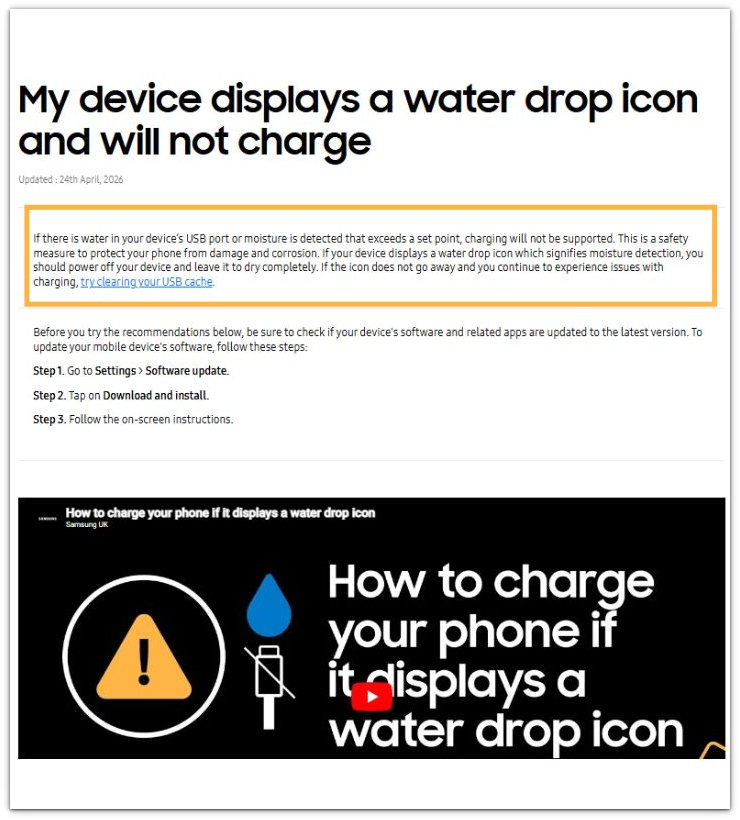
Official Source: Samsung Says Moisture Detection Can Stop Charging
Samsung explains that moisture detected in the USB port can stop the phone from charging. This supports checking the port warning before blaming the charger speed.
Additional Tips
A dirty or damp cable end can keep the same warning pattern alive even after the phone itself looks dry. Check the cable tip before treating the port as the only wet area.
Wireless charging only helps as a temporary workaround. It raises the battery without using the USB port, but the port still needs a normal cable test later.
A case or plug cover can trap moisture near the bottom of the phone. Remove anything around the charging area before checking the warning again later.
Final Notes
Android charging slow with moisture detected is a port problem first. The charger should come after the moisture warning, not before it.
The clearest sign is the charging pattern after the warning disappears. A normal rise points back to moisture. A slow rise with no warning points toward the cable, charger, port fit, or battery condition.
The right order is simple: clear the port first, confirm that the battery actually rises, then judge the cable and charger. That order keeps you from misreading the problem as a normal slow charger issue.
Checklist
- Check for moisture before changing the charger.
- Disconnect the cable while the warning is active.
- Wait until the warning clears before reconnecting.
- Confirm the battery level rises, not just the charging icon.
- Check the cable tip for dirt or dampness.
- Use wireless charging only as a temporary workaround.
- Test the cable and charger after the port is clear.
Start with that guide if you need to separate a moisture warning from a charger, cable, or port problem.