
Introduction
Android charging slow loose connection becomes noticeable when the cable feels loose in the port and the percentage does not rise smoothly. The phone shows the charging icon, but the percentage pauses, jumps a little, or moves only after the cable sits in the right position.
The phone looks connected, so the slow rise feels confusing at first. The first clue is how the number changes when the cable stays still, shifts slightly, and connects again.
Step-by-Step Guide: Android Charging Slow Loose Connection
Step 1: Check The Cable Fit Before Waiting Longer
Hold the charging cable before plugging it in. Check the connector tip for dust, bent edges, or anything that makes it sit unevenly in the phone.
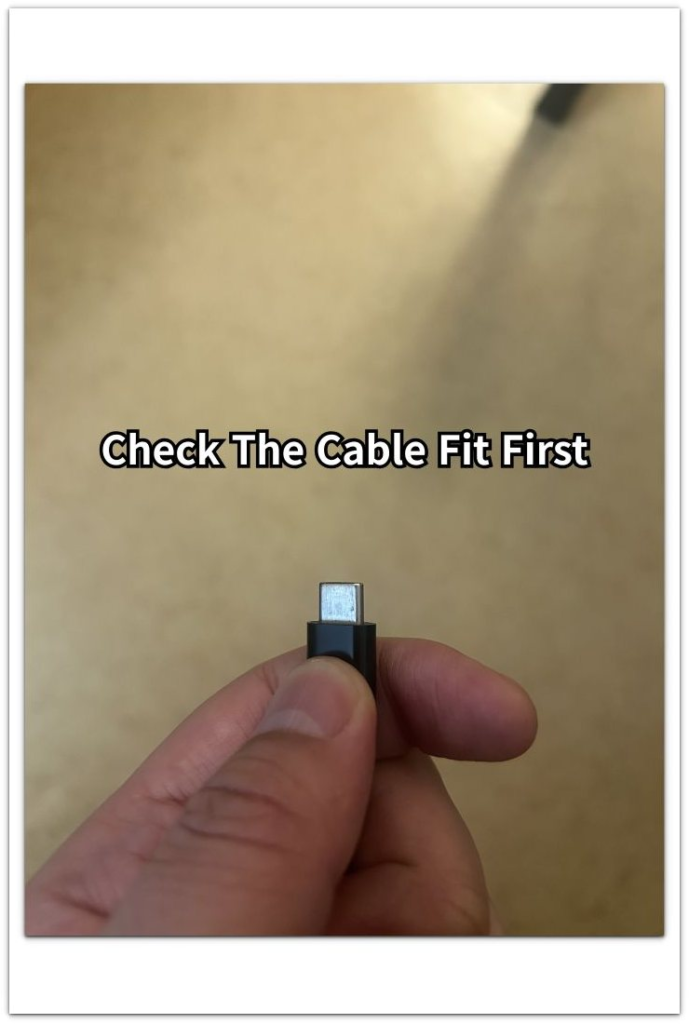
Plug the cable in once and do not push it repeatedly. A loose fit makes the phone look connected, but the battery does not rise in a steady way.
Step 2: Watch The Battery Number While The Phone Stays Flat
Leave the phone on a table in one position. During the first few minutes, keep the screen off and avoid lifting the phone or moving the cable.
Check whether the percentage rises normally or stays stuck after the charging icon appears. A steady rise points away from a loose contact. A pause or small jump keeps the connection as the next thing to test.
Step 3: Move The Cable Slightly And Compare The Result
Gently shift the cable near the bottom of the phone without pulling it out. Watch whether the charging icon disappears, returns, or the percentage rises only after it settles again.
The result matters more than the icon alone. Slow charging during cable movement points to unstable contact, so test another cable before judging the charger or battery.
Troubleshooting
Troubleshooting 1: The Cable Looks Firm But The Battery Still Rises Unevenly
The cable looks seated in the port, but the battery number still rises unevenly. The phone looks connected, but that pattern points to weak contact even without visible movement.
Unplug it, connect it again once, and leave the phone flat on a table. Let the connector sit naturally, without pressing it inward or holding it at an angle. A slow or jumpy rise under a normal position points to a weak fit that is not obvious from the outside.
Troubleshooting 2: The Charging Icon Turns On And Off When The Cable Moves
The charging icon appears at first, then disappears or returns with a small shift near the bottom of the phone. That pattern points to a connection drop, not a normal slow charger result.
Test another cable before changing the power brick. When the charging state keeps dropping from small movement, the connector end or port fit comes before the charger.
Troubleshooting 3: Another Cable Charges Normally In The Same Charger
The same phone charges more smoothly after you connect another cable to the same charger and outlet. The charger setup has not changed, so the old cable becomes the weak part to check.
Use the second cable for a few more minutes and compare the battery number again. A steady rise with the replacement points back to the old connection, not the battery. A jumpy rise with both cables puts the phone port next.
Extra Section 1: A Phone Case Keeps The Cable From Sitting Deep
A thick phone case makes it look fully connected even when the connector is not sitting deep enough. The bottom edge of the case presses against the cable head before the tip seats firmly in the port.
Remove the case and plug in the same cable again. Keep the phone flat on a table and watch whether the charging icon stays on while the connector rests normally.
A smoother rise after removing the case points to case interference, not a bad charger. Keep the case off for one more short test before replacing the cable, because the problem comes from the space around the port, not from the charger.
Extra Section 2: The Port Feels Loose Even With A Different Cable
A second cable becomes useful when the same loose feel remains with the first cable out. The charger and outlet stay the same, so the phone port becomes the next part to question.
Plug in the second cable once and leave the phone flat. Use the normal resting position, not inward pressure or an angled hold. The important sign is not the icon alone. The same loose feel with both points back to the port opening.
Check the port area only from the outside and avoid forcing anything into it. Visible dust or lint near the opening points to a shallow connector fit. A clean-looking port with the same weak fit after two cables needs a service check instead of more pressure.
Official Source: Google Says To Check The Case, Cable, And Port
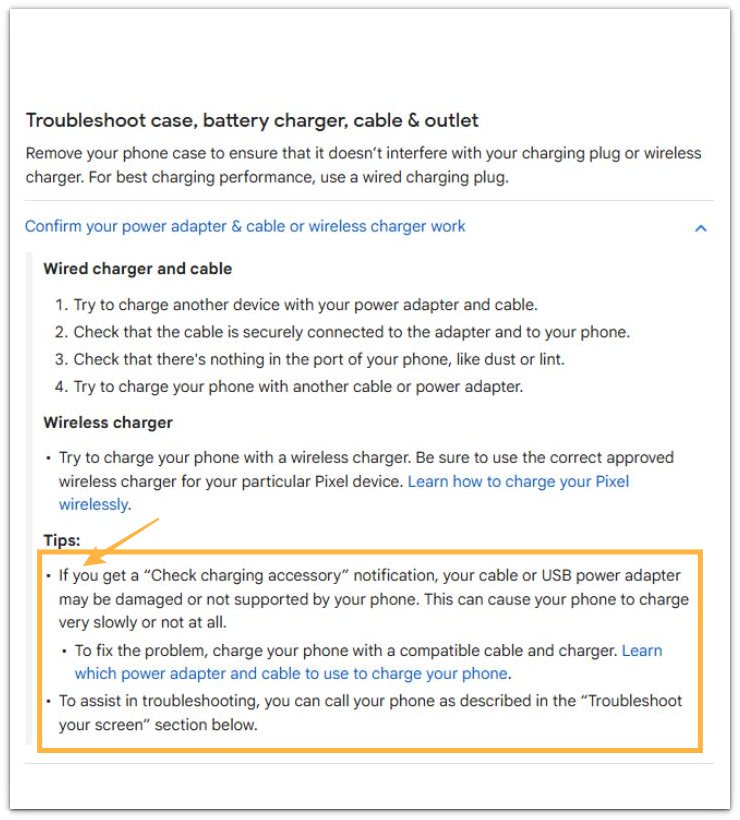
Google’s charging help page says to remove the phone case, make sure the cable connects securely, check for dust or lint in the port, and try another cable or power adapter.
That matches the checks above: check a loose or shallow connection around the case and port before treating the battery as the main suspect.
Additional Tips
Replace a visibly bent connector tip instead of holding it in place by hand. Holding the cable at an angle only hides the weak contact for a short time.
A very low battery level often looks uneven during the first minute after reconnection. Compare the result after a few minutes with the phone resting flat.
Wireless charging works as a temporary backup when the USB connection stays unstable. It helps the battery rise, but it does not prove the port connection works normally.
Final Notes
Android charging slow loose connection is a contact problem before it is a battery problem. The clearest result comes from the cable fit, the flat-table test, the case check, and the second cable comparison.
A steady rise after one change identifies the weak part. The same unstable fit after those checks needs a service check instead of more pressure on the connector.
Checklist
- Fix the loose cable fit before replacing the charger.
- Keep the phone flat and stop moving the connector.
- Compare the battery rise after a few minutes.
- Remove the case if the connector sits shallow.
- Try a second cable with the same charger and outlet.
- Get a service check if two cables still feel loose.
Use the guide above first when the battery barely moves, then check this loose-fit guide if the cable does not sit firmly.