
Introduction
Android phone overheating on weak signal becomes noticeable when the phone warms up faster in places where the signal bars stay low. The phone feels normal at first, but heat starts building while mobile data or calls keep running under a weak connection.
The same heat pattern appears again when the phone returns to the same weak-signal spot. Start by checking the signal level, the heat timing, and the connection state before changing other settings.
Step-by-Step Guide: Android Phone Overheating on Weak Signal
Step 1: Check The Connection State In The Same Place
Open Settings → Connections in the place where the phone started getting warm sooner than expected. Keep Wi-Fi, mobile data, and Airplane mode as they are for the first check.
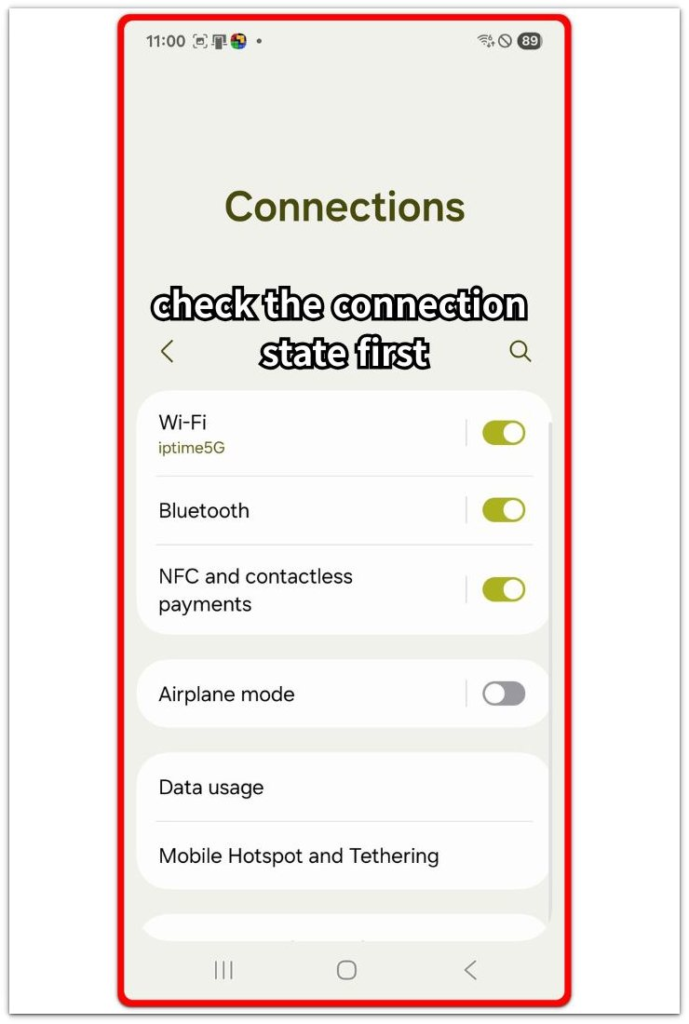
Check whether the phone is using Wi-Fi, mobile data, or both before opening another app. This gives you a clean starting point, so the first result does not mix a setting change with the weak-signal location.
Step 2: Test One Light Connection Task
Open Messages and use a normal message screen as a light connection task. Do not start a video call, hotspot, game, or large download, because those add a separate load.
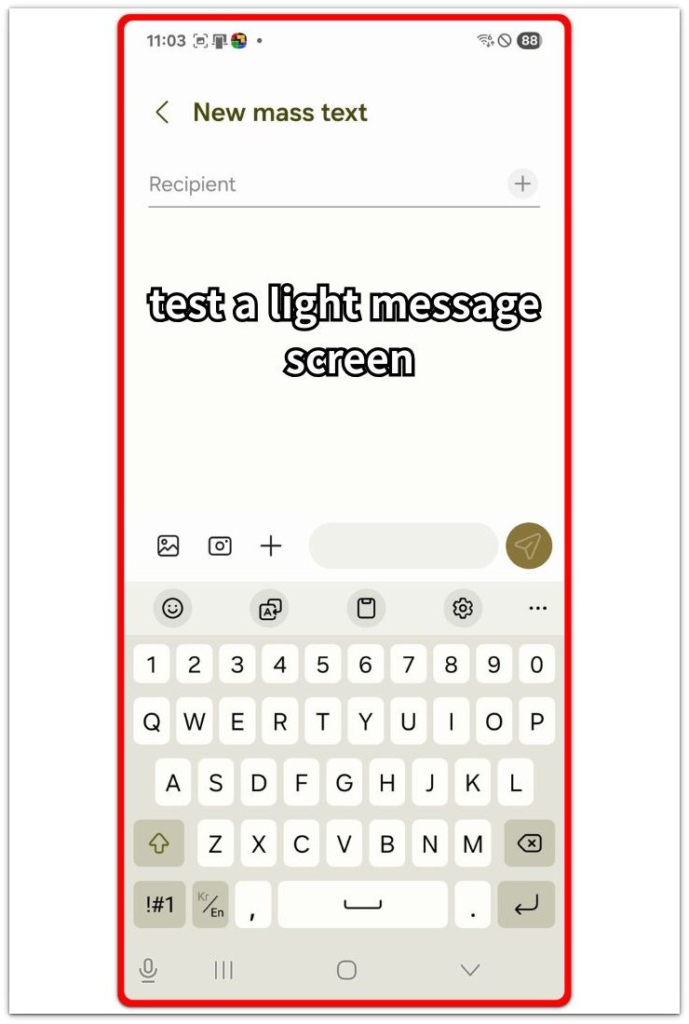
Keep the phone in that weak-signal place for a short time and watch when the heat starts. Early heating during a simple message task gives you a weak-signal result to compare, not a heavy-app result.
Step 3: Compare The Same Test With A Different Connection State
Move to a place with stronger signal, then repeat the same short Messages check. Keep the screen time and app use close to the first test so the result stays easier to compare.
A faster heating pattern only in the weak-signal spot points to the connection as the first thing to fix. Use Wi-Fi calling, move to better reception, or pause mobile data in that spot before changing battery settings.
Troubleshooting
Troubleshooting 1: Android Phone Overheating on Weak Signal During Calls
A normal call becomes the problem when the phone stays in a place with low signal bars. The screen use stays light, and no heavy app is open, but the call still has to stay connected through poor reception.
Move to better reception and make a short call again. Keep the call length close to the first test so the result stays fair. A stable result in the better reception area points back to the weak signal, so use Wi-Fi calling there or avoid long calls in that spot before changing battery settings.
Troubleshooting 2: Mobile Data Causes The Problem In The Same Area
The phone stays normal on Wi-Fi, then the problem returns after mobile data takes over. The app looks like the cause because the same screen is open, but the connection change is the part that matters.
Turn mobile data off for a short test and use Wi-Fi in that spot. Turn mobile data back on next and compare the timing under the same light use. A clear difference points to the cellular connection, so keep Wi-Fi on there or pause mobile data when the signal stays weak.
Troubleshooting 3: Better Signal Does Not Stop The Overheating
The same pattern returns after you move to stronger reception. That result does not match a weak-signal-only problem, so check Settings → Battery next instead of running another signal test.
Open Settings → Battery and review the app list after the next short test. Look for one app, hotspot use, charging during use, or a background task near the top of the list. Limit that item first, then repeat the connection test once more to see whether the problem stays tied to reception or another cause.
Extra Section 1: Why Weak Signal Makes Android Heat Up Faster
Weak signal changes the way the phone works even when the screen use looks light. A simple message screen or normal call does not always mean the phone is under a light load, because the phone still has to keep calls, mobile data, messages, and background connections active through a weak network.
When the same light use feels normal in a stronger signal area, the weak signal becomes the first condition to reduce before changing battery settings or removing apps.
Extra Section 2: When A Weak Signal Makes An App Look Like The Problem
A weak signal makes an app look like the problem when the same app is open as the phone starts warming up. Messages, calls, maps, or a browser page seem like the cause, but each one also depends on a stable connection.
The difference shows up when the same app behaves normally in a stronger signal area. The screen and app use stay similar, but the phone no longer has to hold the same weak connection in the background.
Check the connection state before deleting the app or changing battery settings. When the heat follows the signal area more than the app itself, the better fix is to improve reception, use Wi-Fi, or reduce mobile data use in that spot.
Official Source: Google Pixel Safety Guide On Phone Heat
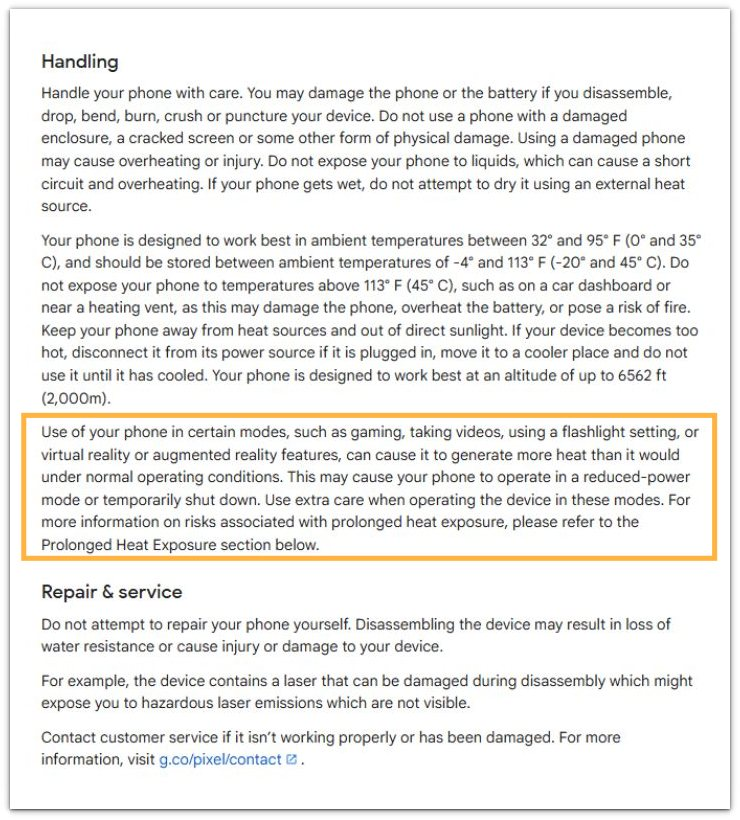
Google says some phone activities generate more heat than normal operation. Use that point as a safety check while comparing the signal strength, connection state, and heat timing.
Additional Tips
A thick case can trap warmth in weak reception areas. Remove the case for one short test when the phone already feels warm in the same spot.
A car, elevator, basement, or inner room often has weaker reception even when the phone worked normally a few minutes earlier. Compare the warm period after moving near a window or open area.
A long call creates a stronger heat pattern than a short message check. Short tests help separate weak-signal heat from normal heat during a long call.
Final Notes
Android phone overheating on weak signal is mainly a timing and location problem. Warmth that appears only in a low-signal area points first to reception, not the app on the screen.
The strongest check compares the same light task in two places. Normal heat in stronger reception and faster heat in weak reception makes the signal condition the main problem to reduce.
Fix the connection condition first. Use Wi-Fi calling, move to better reception, or reduce mobile data use in that spot before changing battery settings or removing apps.
Checklist
- Check the signal level in the same place.
- Compare Wi-Fi and mobile data under light use.
- Test the same message screen in stronger reception.
- Check whether calls heat the phone faster than messages.
- Review Battery only if stronger signal does not stop the heat.
- Use Wi-Fi calling or better reception before changing battery settings.
Read the overheating guide next if the phone keeps getting hot even after the signal check.