
Introduction
Android overheating battery drain becomes easier to spot when the phone feels hot and the battery drops faster than normal at the same time. The screen is not on for long, and no single app looks heavy in Battery Usage, but the phone still feels warm after the visible activity is already over.
This is different from a general overheating warning. The main clue is the overlap between heat and battery loss. When the phone loses power faster while it stays warm, check whether the heat period matches the battery graph.
Step-by-Step Guide
Step 1: Check When the Phone Feels Hot and the Battery Drops
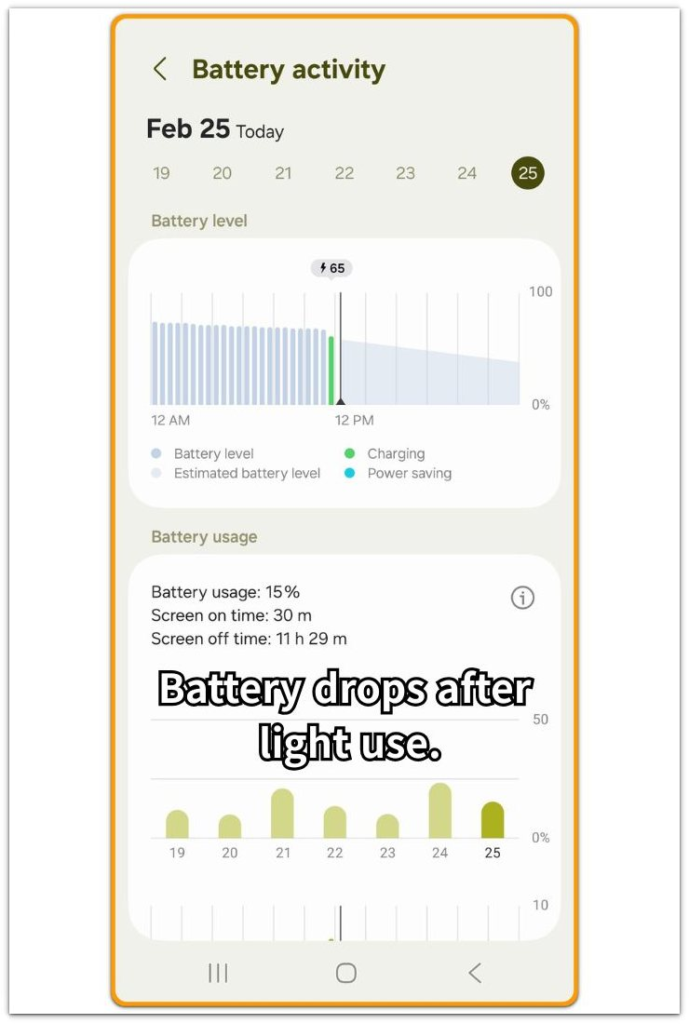
Open Settings and go to Battery. Start with the time period when the phone felt warmer than usual, then look at the battery graph first. Check whether the battery dropped during that same warm period.
Do not judge the problem from heat alone. A phone can feel warm after gaming, video calls, navigation, or long camera use, so the important clue is whether the battery keeps falling faster after the visible activity has already slowed down.
When screen time looks low but the battery graph still drops, the drain does not match normal visible use.
Step 2: Compare App Use With the Battery Drop
Stay on the Battery screen and check the app list below the graph. Look for one app that clearly explains the battery loss, such as a long game session, video call, camera use, or navigation session.
That kind of drain is easier to explain because the visible app activity matches the heat and the battery drop. The problem is different when no single app looks large enough to match the drop.
Check whether the phone stayed warm even after the main app session ended, then compare that period with the battery graph again. If the battery keeps falling while the app list looks ordinary, the issue is not only one visible app.
Step 3: Check the Conditions Around the Warm Period
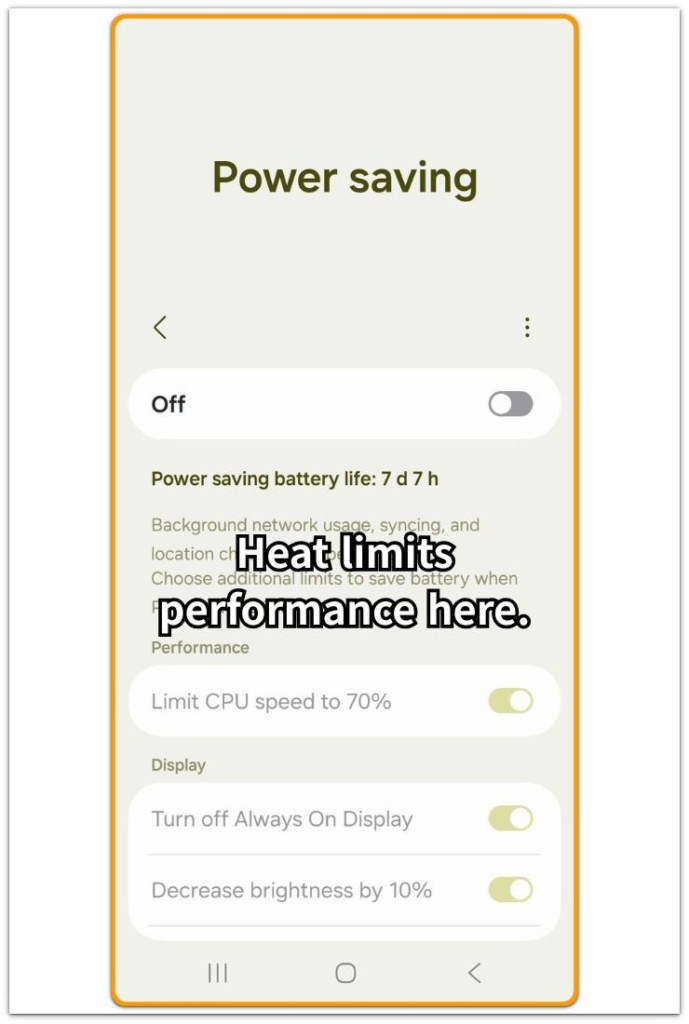
Now check what was happening around the time the phone stayed warm. Look for simple conditions first, such as direct sunlight, a hot car, a pillow, a thick case, or a room that was already warm.
Also check whether the phone was running maps, camera, hotspot, a game, or a video call shortly before the battery dropped. Do not reset the phone just because it felt hot once.
Compare the same phone in a cooler place with lighter use. A cooler place with slower battery drain points to the heat condition as part of the problem. When the phone stays warm and keeps losing battery after the heavy use ends, the overheating battery drain pattern becomes stronger.
Troubleshooting: Android Overheating Battery Drain
Troubleshooting 1: The Phone Stays Warm After the App Is Closed
The phone keeps losing battery after the main app is no longer open. This often happens after a game, video call, camera session, map route, or hotspot use.
Open the Battery screen and check the time period after that activity ended. Screen time dropping while the battery graph keeps moving down shows the drain is no longer only from visible use.
Do not delete random apps first. Leave the phone unused for a short period, then check whether it cools down and whether the battery graph slows.
A warm phone with continued battery loss shows android overheating battery drain is still active after the visible app session.
Troubleshooting 2: Battery Usage Does Not Show One Clear App
A hot phone does not always point to one obvious app in Battery Usage. The list often shows several small entries instead of one large battery user, so the drain feels confusing when nothing on the list looks strong enough to explain the drop.
Check that period again. Look at screen time, the battery graph, and the app list together. If the phone felt hot while the graph dropped, but no single app explains the loss, treat the heat and battery drop as the main pattern.
The issue is not only which app appears at the top of the list. It is whether the phone keeps losing power while it remains warm.
Troubleshooting 3: The Phone Cools Down and the Drain Slows
Use a cooler, quieter period as a comparison. Move the phone out of direct sunlight, take off a thick case if it traps heat, and stop heavy use for a while. Then leave the phone locked and check the battery again.
A cooler phone with slower battery drain ties the earlier drop to the warm condition. When the phone stays warm and keeps losing battery even after heavy use stops, the problem is stronger than normal app use.
This makes the earlier drop easier to separate from ordinary battery drain.
Extra Section 1: When the Phone Stays Warm After Navigation Ends
A common case starts after a long navigation session. The map route is already finished, the screen is off, and the phone is no longer being used heavily, but the back of the phone still feels warm for longer than expected.
The battery also keeps dropping during that same stretch. This is where the overheating battery drain becomes easier to separate from normal map usage. The stronger clue is what happens after the trip ends.
Open the Battery screen and look at the period after navigation stopped. If screen time is low but the battery graph keeps moving down while the phone stays warm, the drain does not match simple visible use.
Move the phone away from direct sunlight or a hot car area, leave it locked for a short period, and check whether the drop slows. A slower drop after cooling ties the earlier drain to the warm period after navigation.
Extra Section 2: When a Thick Case Keeps the Phone Warm Longer
Another common case happens when the phone stays warm after normal use because heat cannot escape easily. Check whether the phone was in a thick case, a tight pocket, under a pillow, or on a soft surface.
The app session does not look extreme, and screen time is not very high. But the phone stays warm longer than expected, and the battery keeps dropping during that same period. This can make the overheating battery drain look worse than the app list suggests.
The important check is not only which app was open. It is whether the phone cools down after the condition changes.
Take off the thick case, move the phone to an open surface, and leave it locked for a short period. Then check whether the battery graph slows after the phone cools down. That change points more toward trapped heat than one clear app problem.
Official Source: How your phone protects itself
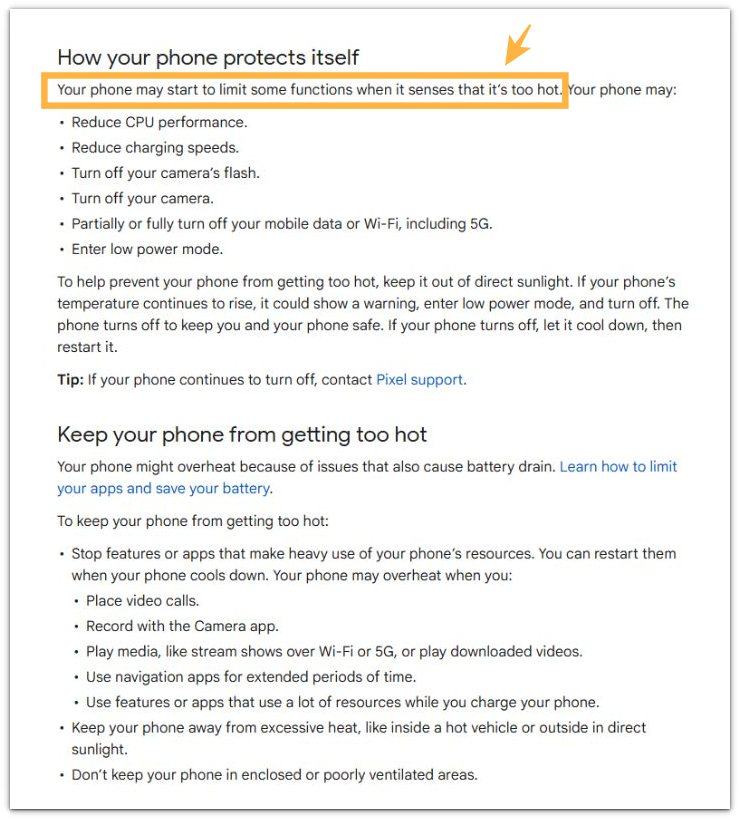
Official documentation notes that overheating can be tied to issues that also cause battery drain.
This supports the main check in this guide: heat and battery drain should be compared together, not treated as separate problems.
Additional Tips
Avoid using the phone in direct sunlight when it already feels warm. High brightness, navigation, camera use, games, and video calls put more strain on a phone that is already hot.
Take off a thick case if the phone stays warm longer than usual. A case does not always cause the problem, but it often makes the phone cool down more slowly.
Do not keep changing settings every few minutes. Give the phone a short locked period after heavy use, then check whether the battery graph slows. A steadier battery graph after the phone cools down means heat was part of the battery loss.
A continued drain needs the same comparison once more before blaming one app.
Final Notes
Android overheating battery drain is easier to judge when heat and battery loss happen during the same period. A phone that gets warm during heavy use is not always the problem. The stronger clue is whether the battery keeps dropping after the visible activity has slowed down.
A cooler phone with a steadier battery graph ties the drain to the warm condition. When the phone stays warm and keeps losing power with low screen time, the issue is stronger than normal visible use.
Do not judge the drain from one app name alone. Compare the heat period, screen time, app activity, and the battery graph before deciding what to change.
Checklist
- Check whether the phone stays warm after heavy use ends
- Compare the warm period with the battery graph
- Check whether screen time is low while the battery still drops
- Move the phone away from heat and leave it locked for a short period
- Check whether the battery drain slows after the phone cools down
- Do not blame one app before comparing heat, screen time, and battery loss
For a broader look at Android battery drain, use the main guide to compare overheating with other battery drain patterns.